




Team workflow
Keep every banner moving forward
Give everyone access to the designs they need, keep feedback clear, and make the next steps easy to follow.

Shared workspaces
Control who can view, edit, approve, or manage designs with roles for each team member.
Roles and permissions
Choose who can view, edit, approve, or manage designs so each team member has the access they need.

Folders and labels
Organize designs into folders and add labels so your team can find what they need.
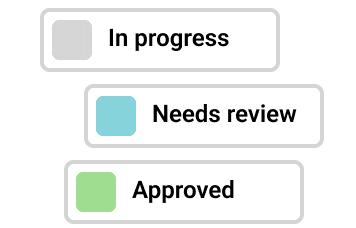
Clear design statuses
See which designs are in progress, need changes, or are approved at a glance.

Comments on designs
Leave comments directly on banners to make feedback clear and easy to act on.

Branded previews
Share a preview link with your branding so clients can review banners and leave comments.
How it works
From first draft to approval
Bring your team into the project, gather feedback, and get your banners ready for the campaign.

WHY BANNERSNACK
Get banners ready with less back-and-forth
Keep design work and reviews connected so your team spends less time chasing feedback and more time finishing campaigns.
Team plans
Bring your team into Bannersnack
Choose a Team plan and give everyone access to the designs, assets, and feedback they need to work together.
What your team gets:
Shared workspaces for clients and campaigns
Team roles and permissions
Shared brand assets and templates
Comments and design approval statuses
Branded preview links for client reviews












Related features
Everything around your team’s workflow
Explore the tools that help your team design banners, stay on brand, and put approved ads to work.


Can my team work on the same banner designs?
Yes. Team members can access shared designs in a workspace, make edits based on their permissions, and leave comments. This keeps design work and feedback together.
Can I share banners with clients for feedback?
Yes. Send a branded preview link so clients can view your banners and leave comments directly on the designs. Feedback stays connected to the banner being reviewed.
How do I track which banners are approved?
Use design statuses to mark banners as In Progress, Needs Changes, Approved, or Rejected. Update statuses as reviews progress so your team knows what needs attention and what’s ready to use.
Can I control who can view or edit designs?
Yes. Roles and permissions let you control who can view, edit, approve, or manage designs. Give each team member the access they need for their role.
Can I keep different clients’ projects separate?
Yes. Create dedicated workspaces for each client, brand, or campaign, with selected team members and shared assets. Use folders to organize designs within each workspace.