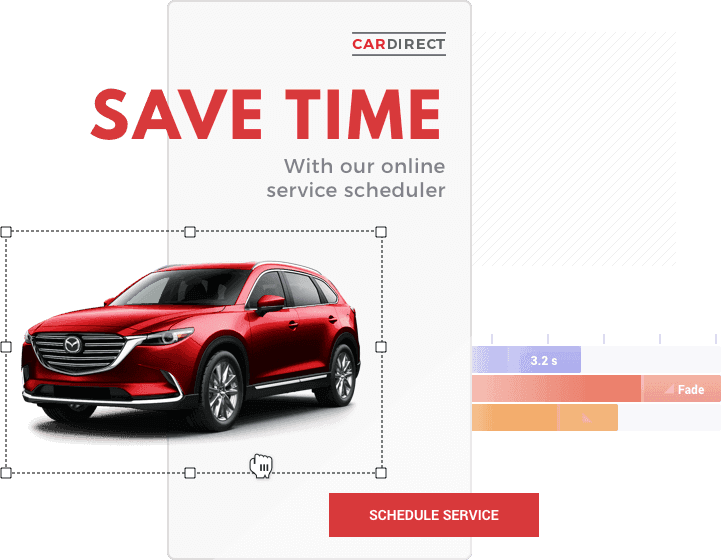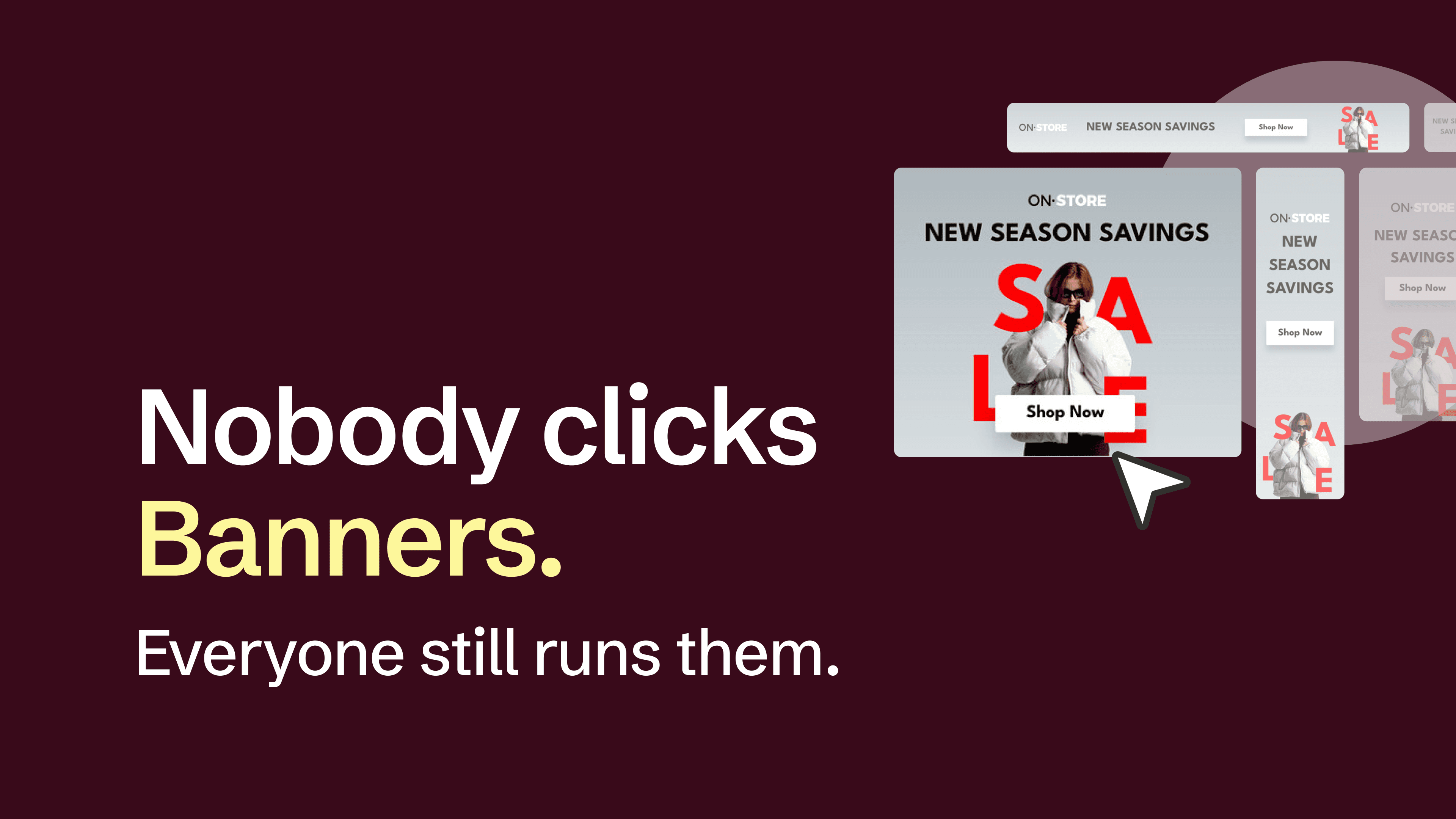
In October 1994, AT&T ran the first banner ad on HotWired. It was 468 by 60 pixels, static, and clicked through at 44%, a rate it held for four months. Three decades later, the average display ad gets clicked 0.46% of the time. The nearly hundred-fold collapse in attention is, more or less, why animated banners exist. This article covers how to think about the work: what should move in a banner and what shouldn't, the formats and specs that frame your decisions, and the workflow inside Bannersnack for animating one ad or fifty.
Key takeaways
Intentional motion earns attention; decorative motion competes with itself. One element animating with purpose works better than five elements moving in unison.
HTML5 is the format for display advertising. GIF still has a place in email and fallback inventory. MP4 belongs to social and in-feed placements. Format choice shapes every downstream decision.
Google's Display Network enforces a 150KB file ceiling and a 30-second animation cap. Build inside those limits, not around them. AMP inventory is even stricter, around 60KB.
The production workflow runs eight steps: gather specs, plan the motion, build the primary layout at 300×250, animate, compress assets, export, QA, scale to the full size set. The last step is where the time savings compound.
Bannersnack handles every level of animation control. Magic Animator across the whole banner, per-element build-in and build-out with text-specific presets, and a Custom panel that adapts to the chosen preset (ease and tween where they apply, plus controls like direction, alpha, motion time, or flips). The Banner Generator scales animation across an entire size set.
What animated banners are (and what they're not)
An animated banner is a motion-based display ad served in standard IAB dimensions through an ad network. It runs in three formats: GIF, HTML5, and MP4 (the last typically for social placements rather than display). It loops or stops on a final frame, depending on the network.
It is not an animated video ad. Video ads are produced as full-motion creatives for in-feed and pre-roll placements, often 15 to 60 seconds, with their own production pipeline and measurement model. Articles online frequently conflate the two. They share animation techniques but almost nothing about delivery, format, or constraint.
Worth saying out loud: this category has roughly nothing to do with the craft that goes into a Studio Ghibli short or a Pixar render. Nobody's grading you on how light catches a strand of hair at 24 frames per second. The job is winning attention in a feed that scrolls past everything, inside 150KB and under 30 seconds, which is a different sport entirely. The principles that follow treat motion as an attention lever in a hyperstimulated space where attention is the actual currency, not as a craft exercise.
Animated vs static: the performance gap
Rich media banners average a 0.18% click-through rate against 0.046% for standard banners, roughly 4x, based on the Google-IAB Display Benchmark Report (2025). Engagement follows the same pattern: rich media reaches 16.85% versus 2.14% for static (Adform Rich-Media Benchmark Report, 2014).
Animation is situationally better, not universally better. Simple retargeting, fast-loading placements, and networks without animation support are still legitimate cases for static. The point is choosing animation when the impression density and creative competition demand it, not as a default.
GIF vs HTML5 vs MP4: which format for which use case
Format choice frames most of your other decisions: file size budget, animation capability, network compatibility. Pick once, at the top of the project.
Format | File size | Animation quality | Interactivity | Network support |
GIF | 150 KB on GDN; higher elsewhere | Limited (5 FPS cap on GDN, 256 colors, no easing) | None | Universal |
HTML5 | 150 KB on GDN | High (CSS animation, JavaScript, full color) | Yes (clickable, expandable, dynamic copy) | Major display networks (GDN eligibility required) |
MP4 | Varies; typically 1 to 30 MB | Highest (true video) | None (pre-built only) | Social and in-feed placements |
HTML5 is the format for display advertising. It supports interactivity, CSS keyframe animation, and full-color output at file sizes smaller than GIF at comparable visual quality. The friction point: Google Display Network requires account eligibility for HTML5 uploads, specifically 90 days of active history and at least $9,000 in lifetime spend (Google Ads Help). New accounts can still serve HTML5 ads through a certified third-party ad server.
GIF still has legitimate uses, primarily email, since most email clients don't render HTML5. Some niche networks also restrict to GIF, in which case the 150KB ceiling, 30-second cap, and 5 FPS limit on Google's network define your creative headroom.
MP4 belongs to social placements. In-feed video on Meta, TikTok, and YouTube prefers MP4, with platform-specific dimensions rather than IAB standard sizes. It overlaps with animated banners loosely but follows a different production logic.
Bannersnack exports HTML5, AMPHTML, GIF, and MP4 from the same source file, which matters when a single campaign needs to live across display, AMP inventory, and social at the same time.
Did you know? AMP inventory typically caps banner file size at around 60KB, less than half the Google Display Network limit. Designing for AMP means even tighter constraints on asset weight and animation complexity, and it's the main reason Bannersnack exports AMPHTML as a separate format rather than treating it as a HTML5 variant.
Animation principles that work within banner constraints
Motion design rules don't change for banners, but the constraints get severe. You're animating inside a 728×90, 300×250, or 320×50 frame, with a 150KB budget, in under 30 seconds. Every principle has to earn its slot.
Move one thing, not everything. The hook is the element that earns attention, usually a headline, a product, or a price. Make that one move with purpose. Hold the rest still, or animate it subtly enough that it supports the hook without competing with it. Banners that animate every element at once read as visual noise.
Build motion around easing, not duration. Linear motion reads as mechanical because nothing in the physical world moves at constant speed. Ease-out (fast start, slow finish) is the closest match to how real objects come to rest, and the most-used setting in practice. Ease-in suits elements falling or exiting. Ease-in-out gives custom slow-start and slow-finish curves. Linear has one legitimate use: continuously moving elements like a ticker or animated background pattern.
Time the message before the motion. Viewers have two to five seconds to decide whether to keep watching. The message has to land in that window with motion supporting it. Animation that hides the value proposition until the tenth second is animation that lost the viewer at the third.
End on a final frame. Most networks require animation to stop after 30 seconds with the banner resting on a final state. That frame has to communicate the full value on its own, since viewers who arrive late will only ever see that frame.
Calibrate to the smallest size. Motion that travels 250 pixels in a 300×250 medium rectangle is cinematic. The same transition in a 320×50 mobile leaderboard is a wipe that finishes before anyone sees it. Animation that survives across the size set is animation calibrated to the smallest format first.
The 3-act timing structure
A working framework for the 30-second window:
A hook in the first 5 seconds that earns attention
A message in the middle 10 to 15 seconds that delivers the value
And a CTA with brand lockup in the final 5 to 10 seconds
The last frame is the resting state, which means it has to communicate the full value proposition on its own if a viewer arrives after motion stops.
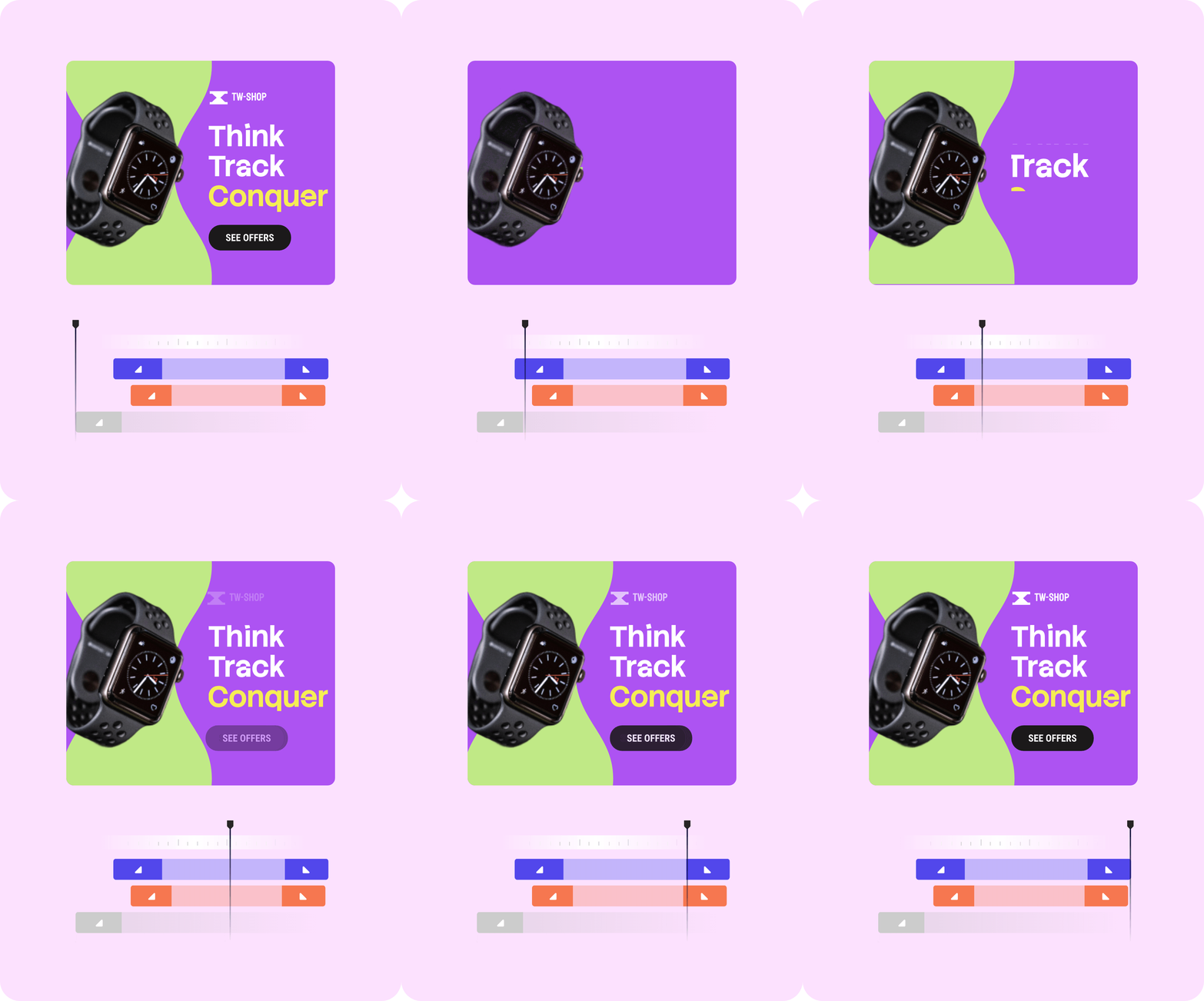
Did you know? Easing exists because nothing in real life moves at constant speed. A ball doesn't fall at a steady rate. A car doesn't reach top speed instantly. A door doesn't slam at the same velocity it started moving. Linear motion in animation reads as off because it's, literally, physically impossible.
Production workflow: from brief to delivery
The work breaks into eight steps: gather specs, plan the motion, build the primary layout, animate, compress, export, QA, and scale.
Gather specs. Pull every constraint before opening any tool: required dimensions, file size limits, allowed formats, loop behavior, target devices, brand inputs. Catching a 200KB requirement at this stage saves an hour of re-export later. If the campaign targets multiple networks, document each network's rules separately.
Plan the motion hierarchy. Decide what moves, what stays still, and in what order. The hook arrives first, the message lands second, the CTA settles last. This step is short by design. The point is locking the motion plan before you start building, not producing storyboard art.
Build the primary layout. 300×250 is the standard starting size. It's the most served and most clicked size across Google's network and IAB standard inventory (Google performance data, 2025), and its proportions adapt down to mobile sizes and up to wider formats with less reflow than other dimensions.
Animate. Apply the 3-act structure with the right easing curves. Build-in transitions on entry, build-out transitions on exit, and middle animations for any element that needs continuous motion. Keep secondary animation light.
Optimize file size. Image compression first (most banners hit limits because of an unoptimized hero image), then code minification for HTML5, then font subsetting if you're embedding webfonts. SVGs and CSS-based animation usually beat rasterized GIF on file size at comparable quality.
Export in the required formats. HTML5, AMPHTML, GIF, or MP4 depending on placement. ClickTag should be configured at this step for HTML5 exports, since missing or broken ClickTag is the most common HTML5 rejection cause on Google.
QA across browsers and devices. Check animation playback, click tracking, file size compliance, and frame integrity on mobile breakpoints. Catch issues here, not after submission.
Scale to additional sizes. Build the rest of the campaign set from the approved layout, adapting composition, copy, and motion per size. This is the step that takes the longest in a manual workflow and the shortest in a tool with paste-across-sizes capability.
Ad network specs at a glance
Specs change occasionally, so verify against the network's current documentation before submission. The values below reflect the major networks as of 2026.
Network | Accepted formats | Max file size | Max duration | Loop rules |
Google Display Network | HTML5, GIF, JPG, PNG | 150 KB | 30s (animation must stop) | Stop on final frame |
Meta (Audience Network) | HTML5, GIF, JPG, PNG | 1 MB (rich media) | No hard cap | Looping permitted |
Programmatic (IAB-compliant) | HTML5, GIF, JPG | 200 KB typical | 15 to 30s typical | Network-specific |
AMP inventory | AMPHTML, GIF, JPG | 60 KB typical | 15s | Stop on final frame |
A few details that don't fit cleanly into a table:
The Google Display Network HTML5 eligibility threshold is real and unmoved. Accounts with under 90 days of active history or less than $9,000 in lifetime spend can't upload HTML5 directly. They can still run HTML5 creatives through a certified third-party ad server.
ClickTag is the click-tracking variable embedded in HTML5 banners that lets the ad network swap in its own destination URL at serve time. Missing or broken ClickTag is the most common HTML5 rejection on Google. Bannersnack handles ClickTag automatically on export, so the variable is configured before delivery without hand-coding.
The top five sizes by impression volume are 300×250, 336×280, 728×90, 300×600, and 320×50 . 320×50 in particular carries weight, since mobile drives roughly 70% of display impressions globally (MarketingLTB, 2026).
Did you know? HTML5 won the banner war on a specific date. On April 29, 2010, Steve Jobs published an open letter titled "Thoughts on Flash" explaining why iOS would never support Adobe's plugin. Flash had dominated animated banner production for over a decade. Within five years of the letter, every major ad network had switched to HTML5 as the default. Adobe officially shut down Flash on December 31, 2020.
Scaling one design to multiple sizes
One campaign rarely lives in one size. A typical Google Display set runs between 8 and 15 sizes, with programmatic delivery pushing that higher. The approved 300×250 layout is the starting point. The remaining sizes are the problem.
Wide formats like 728×90 force horizontal reflow that often demands cutting secondary copy entirely.
Skyscrapers (160×600, 300×600) reorganize stacking order.
Mobile sizes (320×50, 320×100) usually drop the value proposition and lead with brand plus CTA.
Motion that works in a square doesn't always survive in a leaderboard: a transition traveling 250 pixels in 300×250 is cinematic; the same in 320×50 is a wipe that finishes before anyone sees it.
The manual approach is to duplicate the source file, reposition every element, re-export, then repeat per size. It works at low campaign volume. At 15 sizes per campaign and several campaigns per month, the math stops working in your favor. The same is true of the animation: redoing the timing and easing per size, manually, is where weeks disappear.
How to create animated banners with Bannersnack?
Bannersnack handles the workflow above end to end. You build the primary layout with your workspace library (brand fonts, colors, logos available across every project), animate at the level of control the design needs, and export for delivery.
For animation, there are three levels. Magic Animator applies a preset transition style across the whole banner in a single click (Alpha, Bounce, Drop, Expand, Flip, Grow, Hit, Intersect, Joy, Keynote, and others). For per-element control, each layer carries its own build-in and build-out transitions, with text layers picking up extra presets (Typewriter, Clarify, Tracking) for headlines that need to land precisely. Every preset opens into a Custom panel where the controls adapt to what the transition exposes: ease type, tween type, direction, alpha, whatever applies.
Export goes to HTML5, AMPHTML, GIF, or MP4 with ClickTag configured automatically. The HTML5 export bundles a fallback image inside the ZIP, so the banner still displays on placements that don't support animation. The Banner Generator then pastes the animation across the full size set in one move, targeting one layout, all layouts, or filtering by orientation. Design Sets keep those variations coordinated through revisions, and workspaces share brand inputs across the team so production reviews don't fragment into a dozen versions of the same file. AdTag, available on Plus and Team plans, delivers the full set to 26+ ad networks from the same dashboard.
Common mistakes that get banners rejected
Most ad network rejections trace back to a handful of issues, all caught more cheaply in QA than in resubmission.
File size over the network's limit is the most frequent cause. Google's 150KB cap is enforced exactly, not as a guideline, so a 152KB banner gets rejected even if the design is otherwise clean.
Duration overruns come next. Google's 30-second limit requires a stop on the final frame instead of an infinite loop.
Missing or broken ClickTag is the third most common rejection, almost always traceable to a click variable that never made it into the destination URL at export.
Text that appears on screen too briefly to read at smaller sizes is an animation-specific issue that lands more often than it should.
Animation that works in 300×250 but falls apart in 320×50 happens when motion was never calibrated to the mobile dimension.
Shipping an HTML5 banner without a fallback image means the banner shows up blank or broken on placements that don't support animation, instead of falling back to a usable still.
A spec checklist at export catches most of these before submission.
Conclusion
Animated banners stop being intimidating once a few decisions are framed: what format to use, what should move and why, which specs constrain the design rather than fight it, and how a single animation travels from one layout to a full size set without starting over. The designers who own this work treat motion as part of the message, not as a layer on top of it.
Start designing animated banners in Bannersnack.
P.S. There's an animation preset called 'Joy.' Don't overthink it.