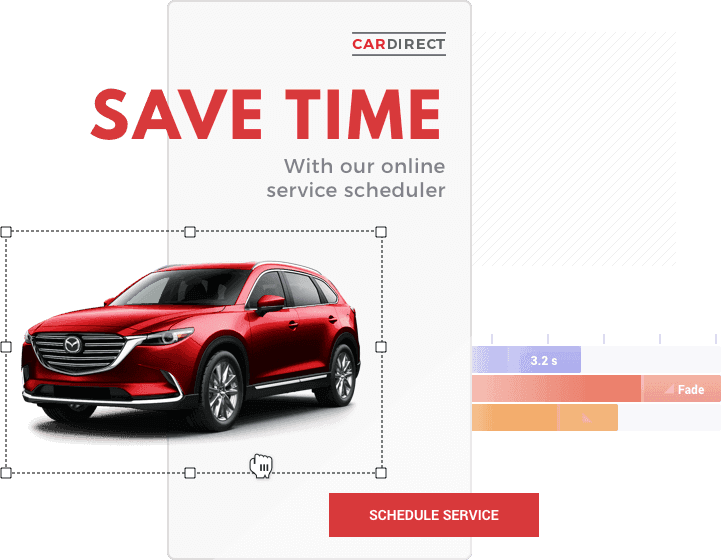
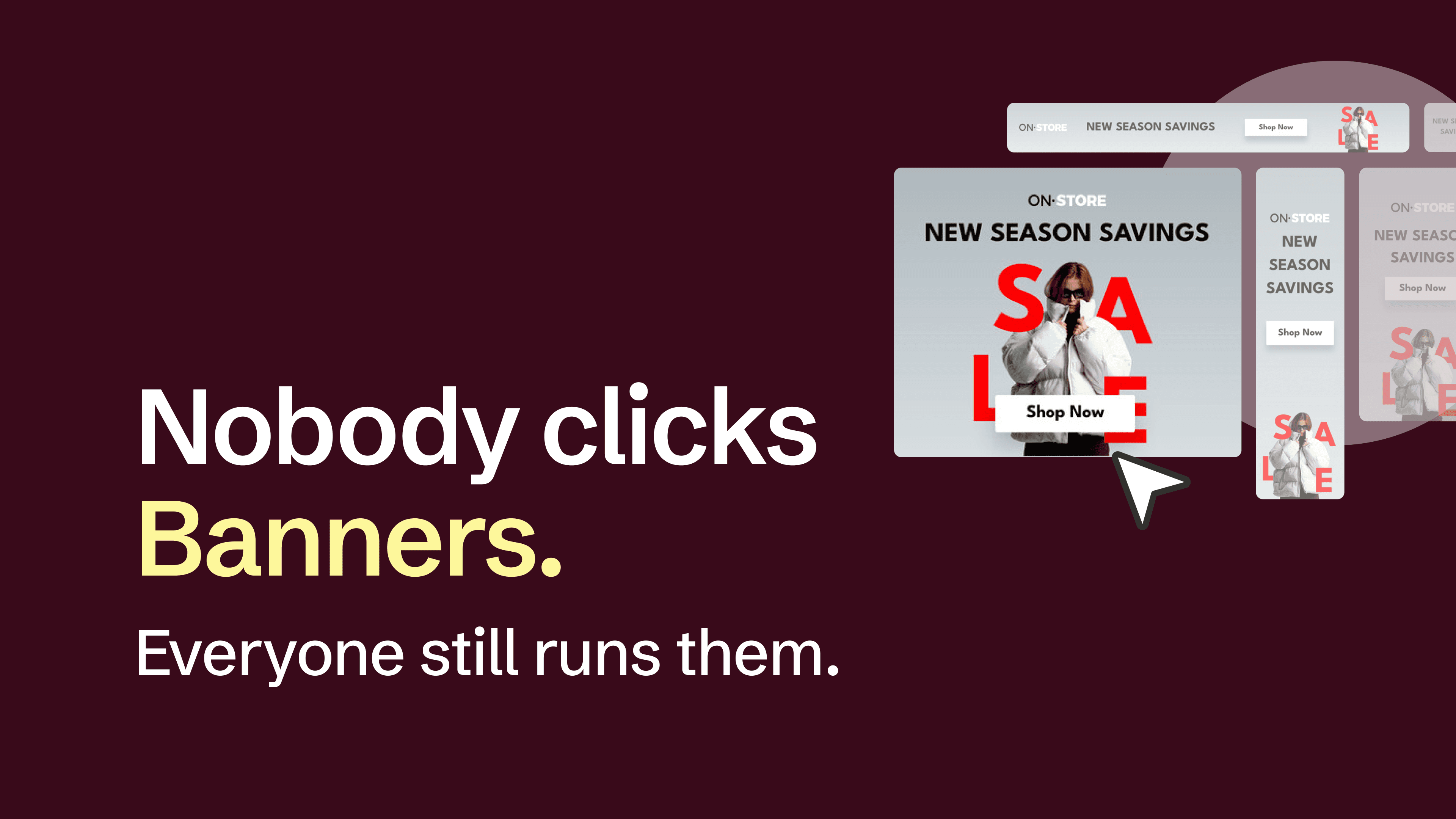
Here are ten banner making tools worth a designer's attention for display ad work, picked by a team that has been making banners since 2008. We have exported Flash ads, watched HTML5 replace them, and rebuilt more 300x250s than anyone should. Bannersnack even took a few years off, from 2021 until 2025, and came back because designers kept using it the whole time. Call this list an educated guess from people who have spent a long time in this space. Bannersnack is on it, and yes, we put it first. We built it for exactly the work this list covers, multi-size HTML5 display sets, and we would rather say that plainly than pretend we ranked ourselves by accident. Everyone else gets the same treatment as us: six checks (HTML5 export with clickTag support, animation control, multi-size generation, ad-network delivery, pricing model, vendor status), a "Keep in mind" line on its limits, and a "Best fit if" line on the work it fits best.
Key takeaways
Banner making tools for display ads fall into three groups: browser ad editors, enterprise creative platforms, and desktop or plugin animation apps.
HTML5 export is the dividing line for display work, and subscription tools usually reserve it for paid plans.
Uploaded HTML5 ads for Google Ads must be ZIPs of 600 KB or smaller, with animation of 30 seconds or shorter.
Multi-size generation, such as Smart Resize in Bannersnack, decides how long a full campaign set takes to produce.
Pricing ranges from free (Google Web Designer) and one-time licenses ($49.99 Tumult Hype) to custom enterprise quotes.
Adobe Animate remains on sale in maintenance mode, with bug and security fixes but no new features planned.
How we picked the best banner making tools
We're aware this could come across as grading our own homework, but we've looked at every tool on this list the same way: the good, the bad, and the occasionally ugly, ours included. These are the six checks we ran each one through:
HTML5 that passes network checks. The export should be a ZIP with relative asset paths, the size meta tag that networks such as Google Ads ask for, and clickTag support for the networks that use it. Google Ads, for example, accepts uploaded HTML5 ads only as ZIPs of 600 KB or smaller, with animation of 30 seconds or shorter.
Animation control. A keyframe timeline lets you set start times, easing, and loops for each layer. Presets cover simple builds but limit timing on a 15-second ad.
Multi-size generation. Producing every IAB size from one master design, with animations carried across, decides how many hours a campaign set takes.
Ad-network delivery. Look for compatibility with Google Ads, DV360 (Google's Display & Video 360 buying platform), CM360 (Campaign Manager 360, Google's ad server), and Google Ad Manager. The other route is ad serving: the tool hosts and delivers the ad from its own servers, with tracking, so you skip uploading files to each network.
Pricing model. Published plans, custom quotes, per-seat billing, and one-time licenses change the real cost, and free tiers often leave out HTML5.
Vendor status. Active development and operating system support decide whether a tool can carry a client workflow for years.
Banner making tools compared: HTML5, animation, and pricing
Every cell below is based on the vendor's own pages, with prices as listed in October 2026.
Swipe sideways to see all columns →
| Tool | Best for | HTML5 export | Animation control | Multi-size | Ad delivery | Platform | Entry price |
|---|---|---|---|---|---|---|---|
| Bannersnack | HTML5 display ad sets at scale | Pro plan and up, plus AMPHTML | Layer timeline, presets, Magic Animator | Smart Resize, Banner Generator, Feed (beta) from CSV | AdTag add-on (Plus and Team) | Browser | Free; Pro $18/month billed annually |
| BannerBoo | Low-cost HTML5 and AMP banners | HTML and AMP on all paid plans | Smart animator | Fast resizing | Google Ads, Display Network, Ad Exchange | Browser | Free; Start $12/month billed annually |
| Abyssale | Generation from templates and data | Suite and Enterprise | Keyframe timeline | Template-driven generation | Presets for Google Ads/DV360, Adform, Amazon Ads | Browser | Pro $36/seat/month billed annually |
| The Brief | AI-assisted ad variations | Yes, plus AMP | Animation timeline, Magic Animator | Smart resizing, campaign-wide resize | Ad serving across supported networks; direct publishing to Meta and Google Ads (Ultra and Team) | Browser | Pro $29/month billed annually |
| Bannerflow | Enterprise creative management | HTML5 and video ads | Not detailed publicly | One master creative to every format | 100+ advertising platforms | Browser | Custom quote |
| Celtra | Enterprise ads with ad serving | Rich media and video ads | Not detailed publicly | Creative automation | Own ad serving; DV360 and The Trade Desk tags | Browser | Custom quote |
| Google Web Designer | Free desktop HTML5 | Yes, plus AMPHTML for Google Ads | Keyframe timeline, motion paths | Responsive media rules | Publishing to Google's ad platforms; built-in Ad Validator | Windows, macOS, Linux | Free |
| Adobe Animate | Frame-by-frame animation | HTML5 Canvas | Frame-by-frame timeline | Not built in | Manual upload | Windows, macOS | $22.99/month on annual plan |
| Tumult Hype | One-time Mac license | Yes | Keyframe timeline | Responsive Layouts (Professional) | Export scripts (Professional), such as Google Ads | macOS | $49.99 one-time |
| Bannerify | Animating banners inside Figma | Pro plan | Presets, custom timeline, Figma Motion keyframes | Variants from CSV or XLSX data | Presets for Google Ads, CM360, DV360, Adform | Figma plugin | Limited free workflow; Pro $49/user/month |
Each entry below follows the table's order, with a short preview, the limits worth knowing, and the kind of work it fits best.
How much do banner making tools cost?
Banner making tools range from free to custom enterprise contracts, and the pricing model shapes the real cost as much as the number does. Bannersnack, BannerBoo, Abyssale, The Brief, Bannerify, and Adobe Animate publish monthly plans. Bannerflow and Celtra quote per contract, Tumult Hype sells a one-time license from $49.99, and Google Web Designer is free.
The clearest line between free and paid plans is the export format. Bannersnack Free is watermarked, limited to 10 designs per account, and exports JPG, PNG, and static GIF, while HTML5 starts on Pro at $18 a month billed annually. BannerBoo Free is watermarked too, capped at 4 banners in JPG and PNG. Neither Abyssale nor The Brief has a free plan. Abyssale gives you 14 days to test it and keeps HTML5 for Suite and Enterprise, while The Brief's trial lasts 7 days.
Best banner maker tools for display ads, ranked
The entries run from browser-based ad production tools to enterprise platforms to desktop HTML5 apps, with a Figma plugin at the end, so the tools closest to multi-size display production come first.
1. Bannersnack: best for HTML5 display ad sets at scale

Bannersnack is built for designers and agencies producing animated HTML5 banner sets. Create a design, adapt it across sizes, and update shared elements across the set, while retaining control over individual layouts and animations. Exports include HTML5 and AMPHTML.
[Image: Bannersnack editor preview with a Design Set open and the timeline visible]
Multi-size production: Smart Resize adapts designs to different dimensions, while Banner Generator creates Design Sets where you can update text, images, and other elements across sizes together, then adjust individual layouts as needed.
Animation control: easing and tween curves on each layer, hover triggers, and loop counts, plus Magic Animator for a one-click first pass you then refine.
Feed (beta): turns CSV data into multiple visual variants of a design, so you skip editing each version by hand. Pro users can join the beta now; after launch, Feed moves to the Plus and Team plans.
Brand assets: custom font uploads, PSD import up to 100 MB, and Workspaces per client, with 5 extra brand libraries on Plus.
Exports and delivery: JPG, PNG, GIF, MP4, PDF, HTML5 with clickTag, and AMPHTML. AdTag, the ad-serving add-on on Plus and Team plans, delivers a banner through a third-party ad tag instead of an uploaded ZIP, with custom tags for networks including Google Ads, DV360, CM360, and The Trade Desk.
Pricing: Free, Starter from $7/month, Pro from $18/month, and Plus from $36/month, billed annually. Bannersnack Enterprise lets agencies and platforms embed the editor under their own brand through an API.
Keep in mind: HTML5 export starts on Pro, ad serving requires the AdTag add-on on Plus or Team, and Feed is currently in beta.
Best fit if: you regularly produce animated banner sets and need to resize designs, apply updates across sizes, and fine-tune individual layouts and animations before export.
2. BannerBoo: best for low-cost HTML5 and AMP banners

BannerBoo is best for freelancers and solo designers who need HTML5 and AMP banners on a low monthly budget. It is a browser editor built around a library of 12K banner templates, with animation and resizing tools on top.
Smart animator, which applies motion for you, and fast resizing for turning one banner into a size set
Brand Workspaces and real-time collaboration
Stated compatibility with Google Ads, the Google Display Network, and Google Ad Exchange
Exports: JPG, PNG, GIF, HTML, and AMP on all paid plans, plus MP4 (15 exports on Start, 30 on Pro, unlimited on Plus).
Pricing: Free; Start $12/month, Pro $17/month, and Plus $34/month, billed annually.
Keep in mind: the free plan is watermarked and capped at 4 banners in JPG and PNG, and each paid plan includes 1 editor.
Best fit if: you work solo, ship HTML5 and AMP sets on a tight budget, and do not need a second editor seat.
3. Abyssale: best for automated banner generation from data

Abyssale is best for teams generating large banner volumes from templates and data. A designer builds the master template once, and Abyssale fills the variations from a spreadsheet, its REST API, integrations such as Zapier and Airtable, or its AI features, so AI can create a banner here, inside a template a person designed.
A keyframe timeline with linear, power, and back easing for animated formats
HTML5 settings for hardcoded or dynamic clickTag, a target file size per ZIP, and presets for Google Ads/DV360, Adform, and Amazon Ads
Exports: HTML5 on Suite and Enterprise; MP4 and animated GIF on every plan.
Pricing: Pro $36 per seat per month and Suite $60 per seat per month, billed annually.
Keep in mind: HTML5 export is limited to Suite and Enterprise, and there is no free plan, only a 14-day trial.
Best fit if: your volume comes from data, such as product or location variations, and someone on the team owns the master templates.
4. The Brief: best for AI-assisted ad variations for marketing teams

The Brief is best for marketing teams producing ad variations with help from AI. It describes itself as one platform for ad generation, adaptation, deployment, and optimization, with brand-trained AI and fully editable outputs.
Smart resizing for adapting designs across formats
An animation timeline and Magic Animator for animating banner elements
Ad serving across supported networks and direct publishing to Meta and Google Ads on Ultra and Team plans
Shared history: Bannersnack and The Brief share a product history but are separate products operated by separate companies today. Bannersnack focuses on banner production, while The Brief also includes broader AI-assisted advertising workflows. Our side-by-side comparison page explains the differences.
Exports: JPG, PNG, WEBP, GIF (static and animated), HTML5, MP4, PDF, and AMP.
Pricing: Pro $29/month, Ultra $79/month, and Team $49 per seat per month on annual billing, with a 7-day trial and no card required.
Keep in mind: Pro includes the editor and HTML5 export; ad serving and direct publishing require Ultra or Team. Check which plan includes the delivery features you need.
Best fit if: your team needs banner design alongside AI-assisted content generation and plans to use the platform's wider campaign features.
5. Bannerflow: best for enterprise creative management

Bannerflow is best for enterprise brands managing ad versions, approvals, and HTML5 and video ads across markets. It is a creative management platform (CMP): enterprise software that combines ad design, versioning, approvals, and publishing in one system, while your ad server or DSP handles the serving.
One master creative scaled into every format and version
Real-time collaboration, version control, and review approvals
Dynamic creative variations built and hosted from live product data, with your ad server or DSP deciding which version each viewer sees
Publishing to 100+ advertising platforms across display, social, affiliate, and DOOH
Exports: HTML5 and video ads.
Pricing: custom, through a demo.
Keep in mind: Bannerflow does not publish prices, and it presents its plans as built for enterprise brands and larger teams rather than individual designers.
Best fit if: you run campaigns across many markets and need approvals and versioning more than a single-designer workflow.
6. Celtra: best for enterprise ads with built-in ad serving

Celtra is best for enterprise teams that want ad production and ad serving in one platform. Its public pages lead with creative automation and live-data creatives that respond to pricing, inventory, and market changes.
Rich media and video ads, plus Dynamic Product Ads built from image and video catalogs
Its own ad serving, priced on the impressions or video starts a campaign delivers
Tags for DSPs including Display & Video 360 and The Trade Desk, with Campaign Manager 360 supported for 4th-party serving
Exports: rich media and video units served from Celtra; the public pages do not list a downloadable file set.
Pricing: bespoke packages based on platform, team size, production volume, and ad serving.
Keep in mind: there is no published pricing, and format details come from Celtra's team rather than its public pages.
Best fit if: your team already buys programmatic media and wants the same vendor to build and serve the ads.
7. Google Web Designer: best free desktop HTML5 banner tool

Yes, Google has a banner maker: Google Web Designer is a free desktop app for building HTML5 ads with a timeline, available for Windows 10 or later, macOS 11 or later, and 64-bit Linux. It looks and behaves like a code-aware design app, with layers, motion paths, and direct access to the files.
Timeline animation with motion paths, custom easing, and responsive media rules so one ad unit adapts to different screen sizes
An Ad Validator that checks Google Ads, DV360, AdMob, and AMPHTML for Google Ads builds, including total and initial load size
Exports: HTML5 and AMPHTML ad packages, with publishing to Google's ad platforms including Display & Video 360 and Campaign Manager 360.
Pricing: free.
Keep in mind: Intel-based Macs no longer receive updates, and the app rewards comfort with code, so a full fixed-size set takes more setup than in a browser tool with bulk resizing.
Best fit if: you are comfortable in code, publish mostly into Google's ad stack, and want to pay nothing for the tool.
8. Adobe Animate: best for frame-by-frame animation in Adobe workflows

Adobe Animate is best for designers who need frame-level animation control and already work in Adobe apps. It is a full animation app, built for cartoons, games, and TV work as well as interactive web banners.
Frame-by-frame animation for characters and detailed motion
Interactive web banners that respond to mouse movement, touch, and clicks
Exports: HTML5 Canvas, WebGL, and SVG.
Pricing: US$22.99/month as a single app on an annual plan.
Keep in mind: Animate is in maintenance mode, so Adobe still sells it and ships bug and security fixes but plans no new features. Adobe announced an end of life in early February 2026, reversed it within days, and now states that it has no plans to discontinue the app.
Best fit if: you already pay for Creative Cloud and the job is character or frame-by-frame work that presets cannot handle.
9. Tumult Hype: best one-time purchase HTML5 animation tool for Mac
Tumult Hype is best for Mac-based designers who want keyframe HTML5 animation without a subscription. Hype 4.1 records keyframes as you move elements, then exports a self-contained HTML5 folder you embed with three lines of HTML.
A keyframe timeline with Record mode and bézier motion paths
Responsive Layouts, Physics, and Symbols in the Professional edition
Exports: HTML5, CSS3, and JavaScript in one directory.
Pricing: $49.99 Standard or $99.99 Professional, one-time.
Keep in mind: Hype runs on macOS only, ad packaging for networks such as Google Ads runs through export scripts that come with the Professional edition, and there is no ad serving or bulk size-set generation.
Best fit if: you work on a Mac, prefer to own your software outright, and build banners one size at a time.
10. Bannerify: best for animating and exporting banners inside Figma

Bannerify is best for designers who already build ad layouts in Figma and want HTML5 banners without leaving it. It is a Figma plugin from Hypermatic that animates Figma designs and exports production-ready banners as HTML5, GIF, video, and other ad formats.
Animation through presets, a custom timeline, or keyframes brought over from Figma Motion
Campaign variants generated from CSV or XLSX data, swapping copy, images, and styles across exports
Platform presets for Google Ads, Campaign Manager 360, DV360, Google Ad Manager, and Adform, plus a maximum file size per banner
Exports: HTML5, GIF, MP4, WebM, animated WebP, APNG, and static images. Google Ads exports include the ad.size tag and Google-compatible click handling.
Pricing: Pro costs $49 per user per month or $499 per user per year, with 10 free Pro trials and a limited free workflow after that.
Keep in mind: Bannerify needs Figma to run, and as a plugin it has no ad serving of its own, so delivery happens through each network's upload or your ad server.
Best fit if: your designs already live in Figma and you want the export step to stay there too.
Which banner maker fits display ads, social, or print?
Our educated guess by job type: Bannersnack fits full HTML5 campaign sets across many sizes, the desktop apps fit code-level control, and the enterprise platforms fit feed-driven work across markets.
A single banner or a small static set: any tool on the list with a free or entry plan handles it, and Bannersnack Free and Google Web Designer cost nothing.
A full campaign set across many sizes, with HTML5 and ad delivery: Bannersnack, with Smart Resize for the size set, HTML5 and AMPHTML export on Pro, and AdTag on Plus and Team.
Code-level control on the desktop: Google Web Designer, Adobe Animate, or Tumult Hype.
Designs that already live in Figma: Bannerify.
Feed-driven campaigns with approvals and ad serving across markets: Bannerflow or Celtra.
Social headers, event graphics, and print: a general design app such as Canva or Adobe Express, since this list sticks to display ads.
[Image: Bannersnack Smart Resize turning one 300x250 design into a 728x90, 300x600, 160x600, and 320x50 display set]
Those are our calls after nearly two decades of making banners, and your own projects will refine them. If the full-campaign row describes your week, the Bannersnack free plan lets you try the editor first, and HTML5 export starts on Pro.
Did you know?
The first web banner ad ran on HotWired on October 27, 1994: an AT&T ad that asked, "Have you ever clicked your mouse right here? You will."
Before the IAB standardized ad sizes, banners ran in more than 250 different dimensions. The standard list now names sizes such as the 300x250 medium rectangle and the 728x90 leaderboard.
The term "banner blindness" dates to 1998, when usability tests at Rice University found that most participants ignored anything placed in a banner, including the site's own navigation links.
Google stopped running Flash display ads on January 2, 2017, the day the Google Display Network and DoubleClick went 100% HTML5.
Adobe ended support for Flash Player on December 31, 2020, and blocked Flash content from running on January 12, 2021, closing the book on Flash banners for good.
Adobe Animate, the descendant of Flash Professional, came close to retirement in 2026: Adobe scheduled its end of sales for March 1, then reversed the decision within days after users pushed back.
Top 10 lists are great for music. You find your favorite song and play it until everyone around you is sick of it. Ad production works a bit differently. What you need there is a go-to tool: the one that fits how you work, handles the sizes and networks you deal with every week, and stays out of your way when a deadline hits. This list is here to help you find yours.
P.S. No tool on this list can stop the "one tiny change" email from landing at 6 p.m. on a Friday. The right one just means you still make it to dinner.